

The production system for film labs.
Orders, payments and delivery in one calm place, with an AI that turns and names every scan without touching a pixel.
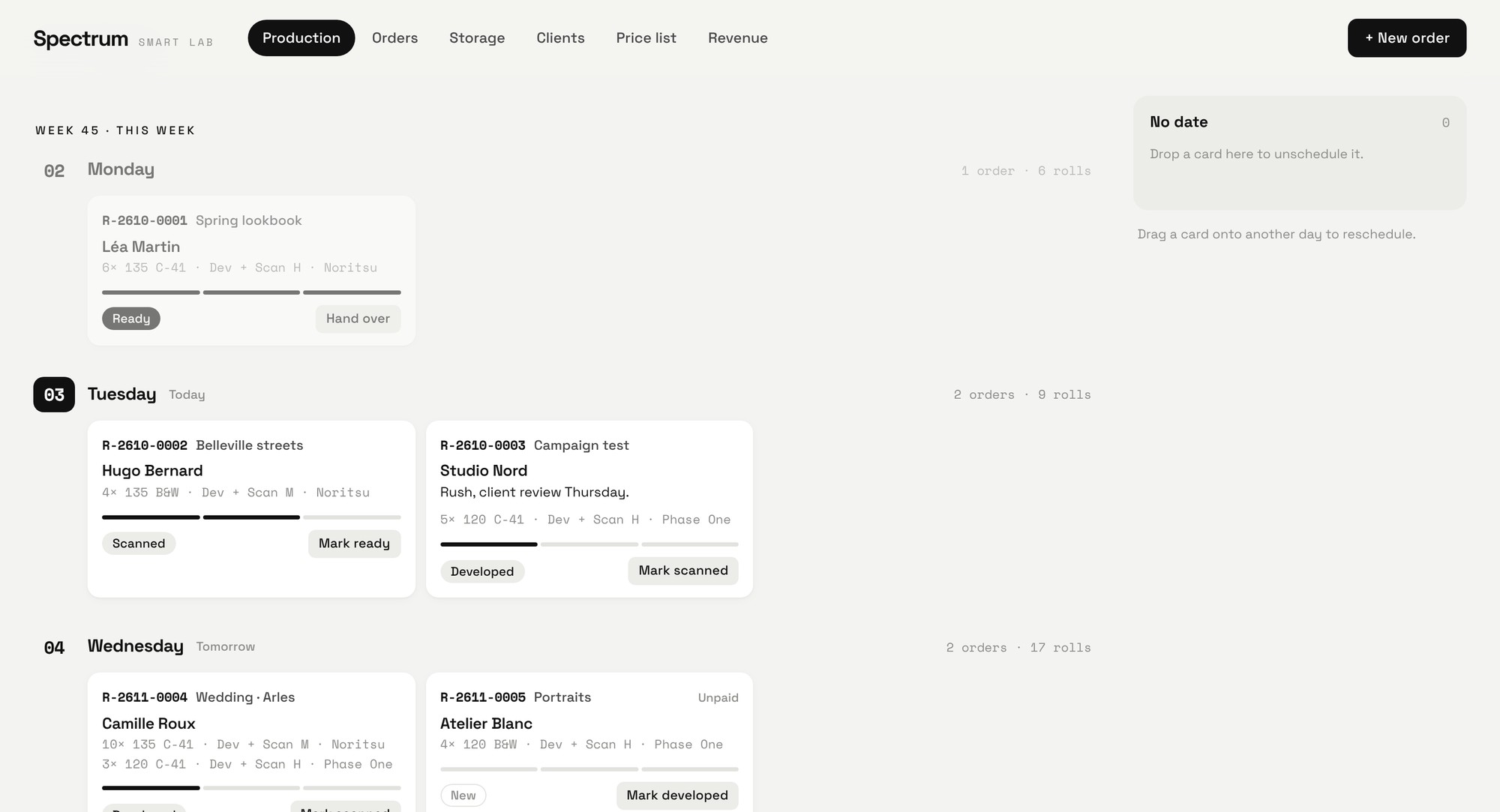
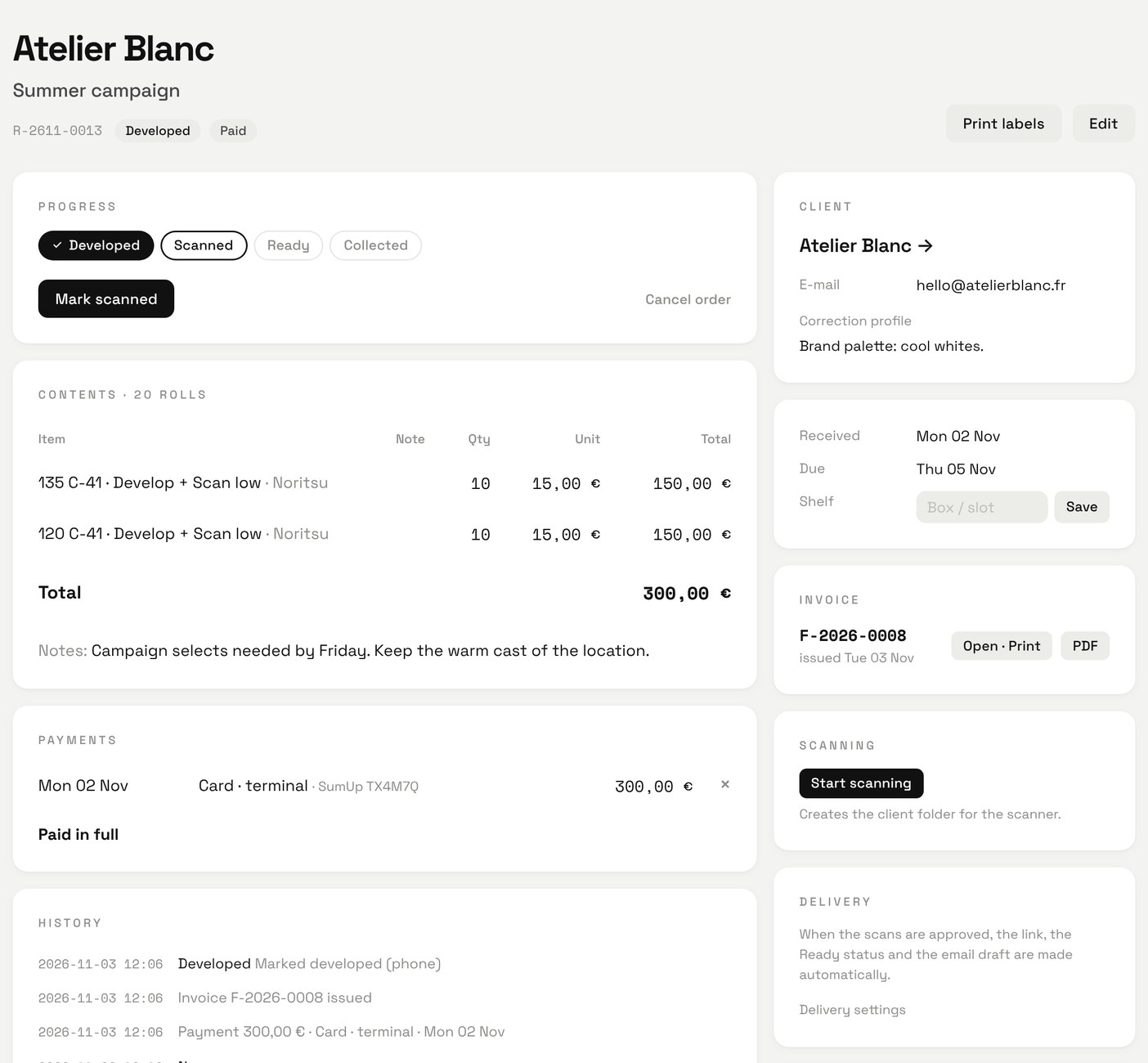
Orders and payments
Priced from your list, paid on the terminal, invoiced.
Production
The whole week live on every screen and phone.
Scans
Renamed, cleaned and turned upright by AI.
Delivery
Download link and client email, ready to send.
Production
The whole week at a glance.
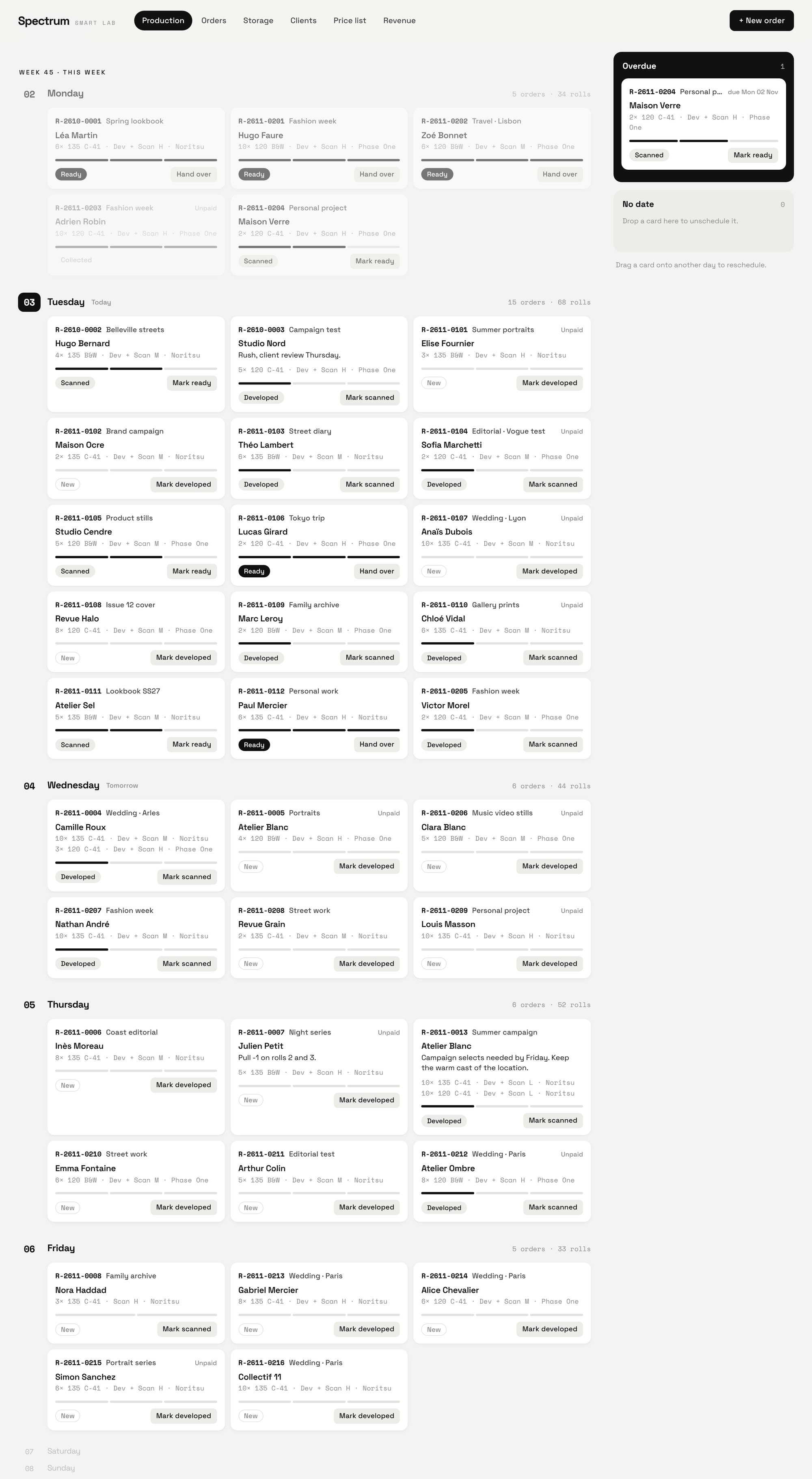
This week sits in the middle of the screen, with the weeks around it above and below. Every card shows the client, the project, the rolls, the scanner and how far the order has gone.
Live on every screen
The front desk, the darkroom and the scanning station see the same board. A change on one updates the others within seconds.
Nothing slips
Late and undated orders stay pinned at the side until they are done. Drag a card to another day to reschedule it.
Each client's taste, remembered
Correction profiles and order notes travel with every roll, from the counter to the scanner.
Negatives waiting for pickup
A storage view shows finished orders by shelf slot, paid or not, so handover takes seconds.
How it works
Every order, from the counter to the download.
Each person in the lab does one simple thing. Spectrum keeps the order moving and the status true, on every computer and phone in the lab.
Drop-off
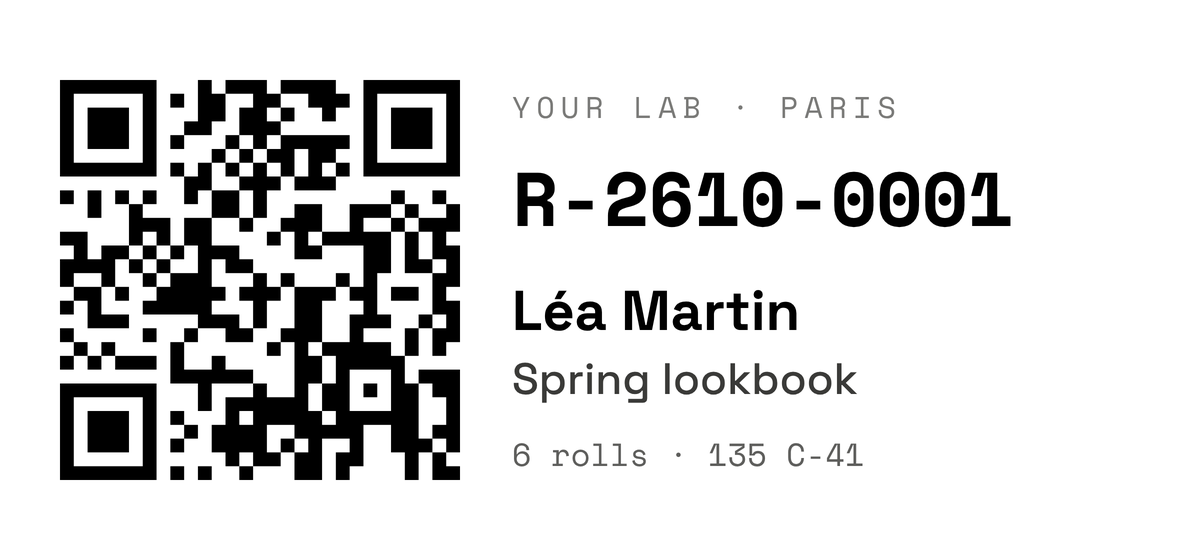
The order is created at the counter and paid on a card terminal connected to Spectrum. A label with a QR code is printed for every roll.
Develop
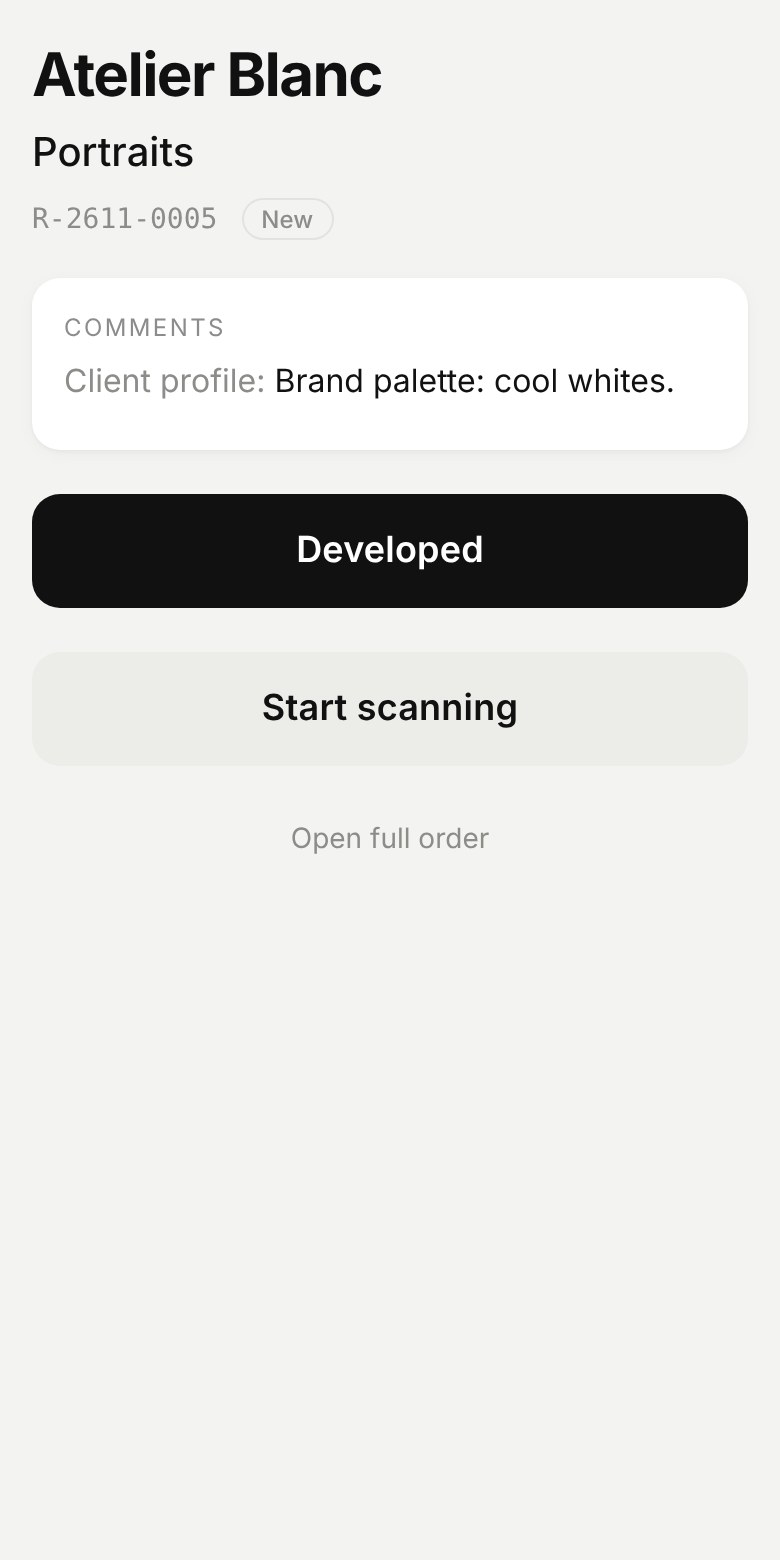
The developer scans the QR with a phone camera and taps Developed. No app to install.
Scan
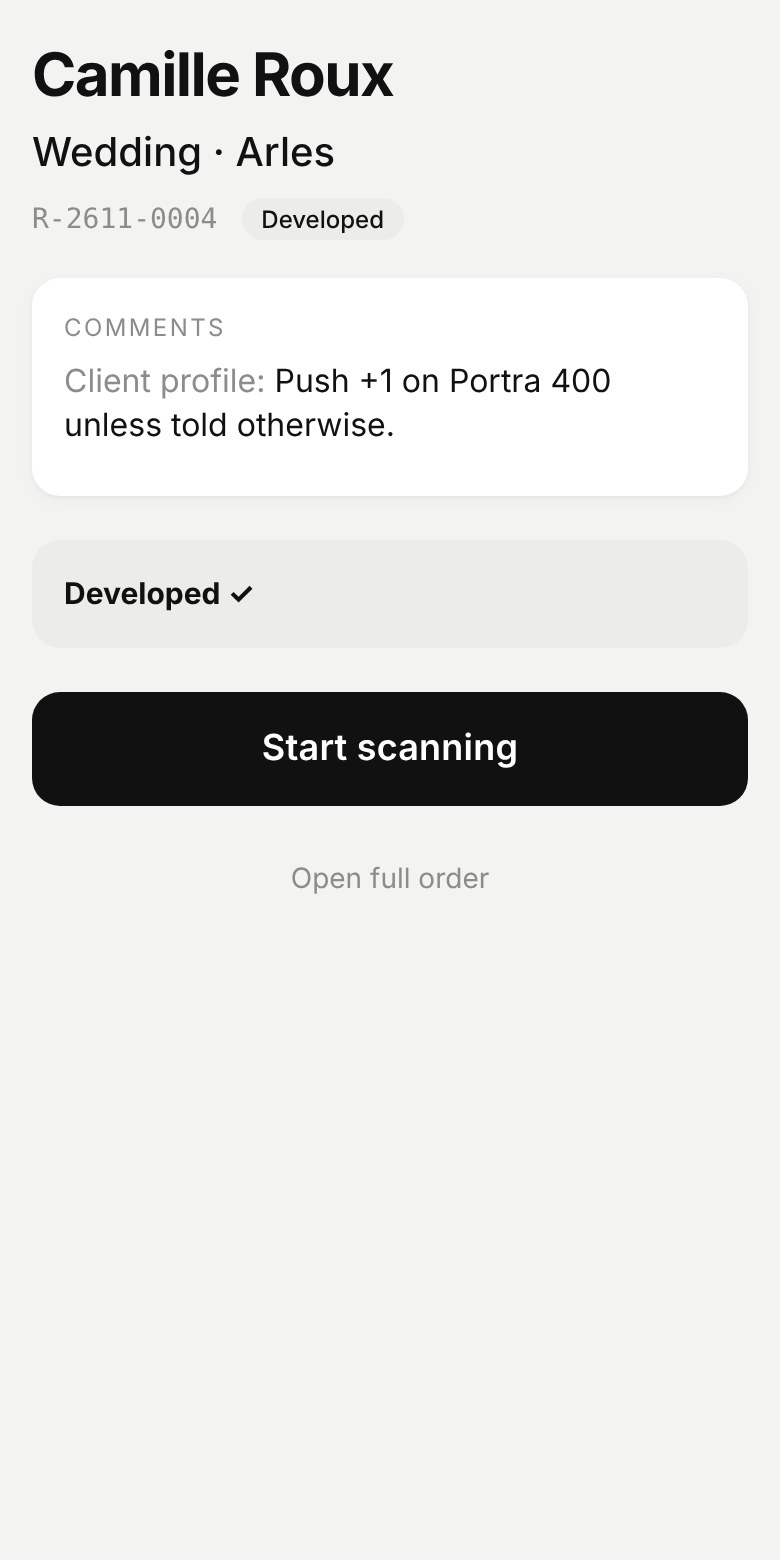
The scan operator scans the same QR, reads the client notes and taps Start scanning. The scan folder is created and named from the order itself, with client and project, so nothing is ever typed or misspelled.
Automatic intake
When scanning is done, the operator just moves the roll folders made by the scanner into the created project folder. Spectrum does the rest: it removes system files, renames every roll and frame and turns each image upright with its built-in AI. The clean folder is marked as scanned and ready for its final review.
Ready
Once the operator has reviewed and approved the scans, the download link is created automatically, the order turns Ready and the client email is drafted, waiting for one click to send.
Collected
Hand over the negatives. Shelf, payment and history stay on record.
 SpectrumOpen order R-2610-0001
Orders
Every order on one screen.
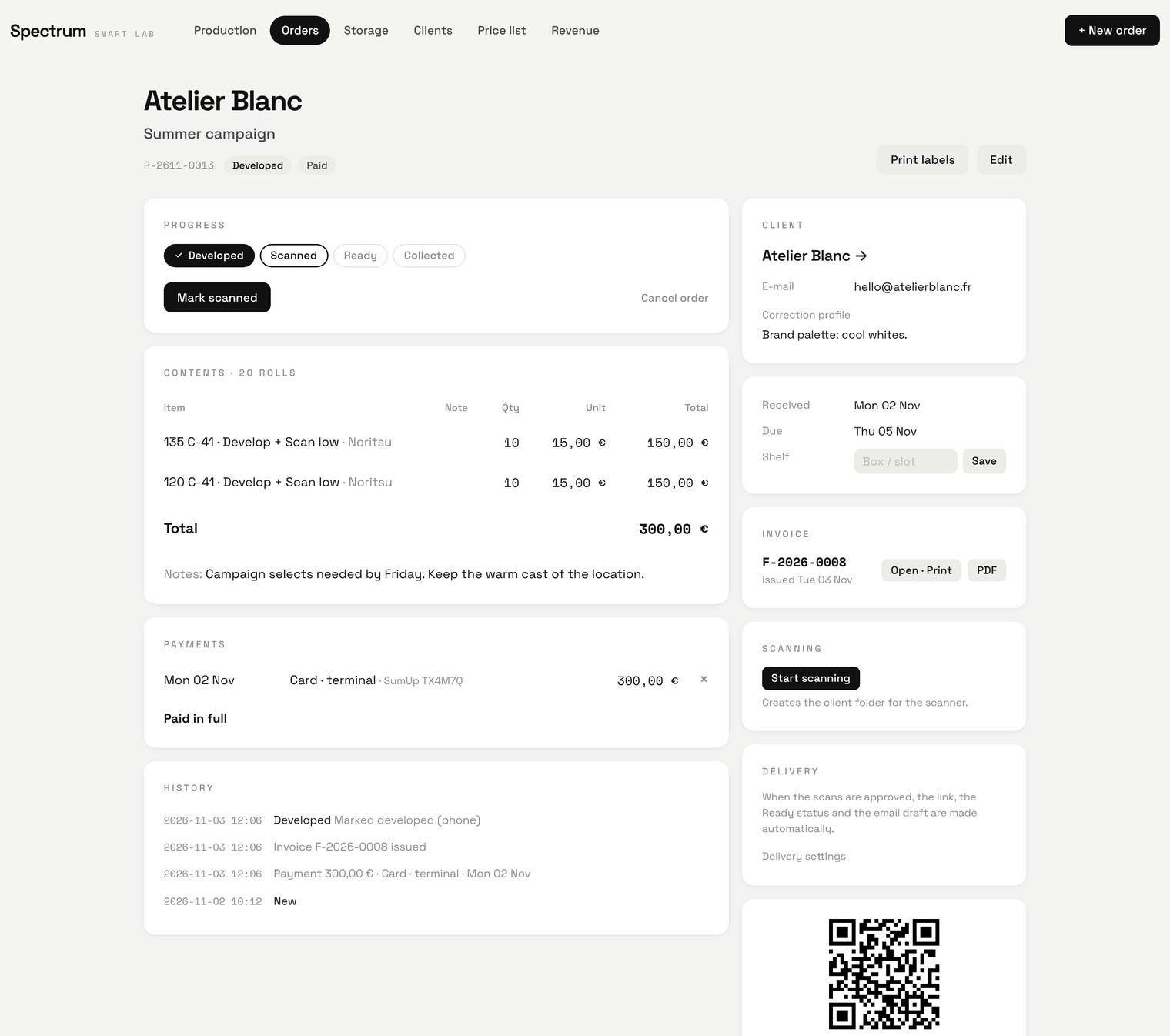
Ten rolls of 135 and ten of 120 for development and scanning: priced from your list, paid on the terminal, invoiced, and already moving through the lab.
Priced as you type
Pick format, process and scan for each line. Spectrum prices it from your price list and totals the order.
One clear next step
Progress shows what is done, the button shows what comes next, for whoever picks the order up.
Paid, invoiced, on record
Card payment from the terminal, an invoice issued as soon as it is paid in full, every change kept in the history.
Labels in one click
A QR label for the bag and for every roll, printed straight from the order.
Scans
Scans that sort themselves.
The scan operator approves the scans and goes straight on to the next order. Spectrum's built-in AI takes over: it turns every frame upright, with 97% accuracy in our tests on real Noritsu scans, renames every roll and frame, removes system files and prepares a clean copy, ready to work on.
From the scanner
00002906 / 261027000029060001.jpg
Renamed by Spectrum: scan date, client, project, roll and frame
2906 / 261027_LeaMartin_SpringLookbook_2906_01.jpg
Named for people
Scanner file names become client, project, roll and frame. System files such as Info_HD.txt and .DS_Store are left out.
Every frame upright
An AI model running on your Mac, trained on film photography, turns frames. In our test on real Noritsu scans it placed 97 of 100 frames correctly.
Pixels never touched
Frames are turned the way Adobe Bridge does it, in the metadata. Files are copied byte for byte: no recompression, no colour profile changes.
Complete or not at all
A project folder appears only once it is fully copied, so nobody starts retouching half a delivery. The copy stays untouched.
Delivery and payments
Ready means ready: link, email, invoice.
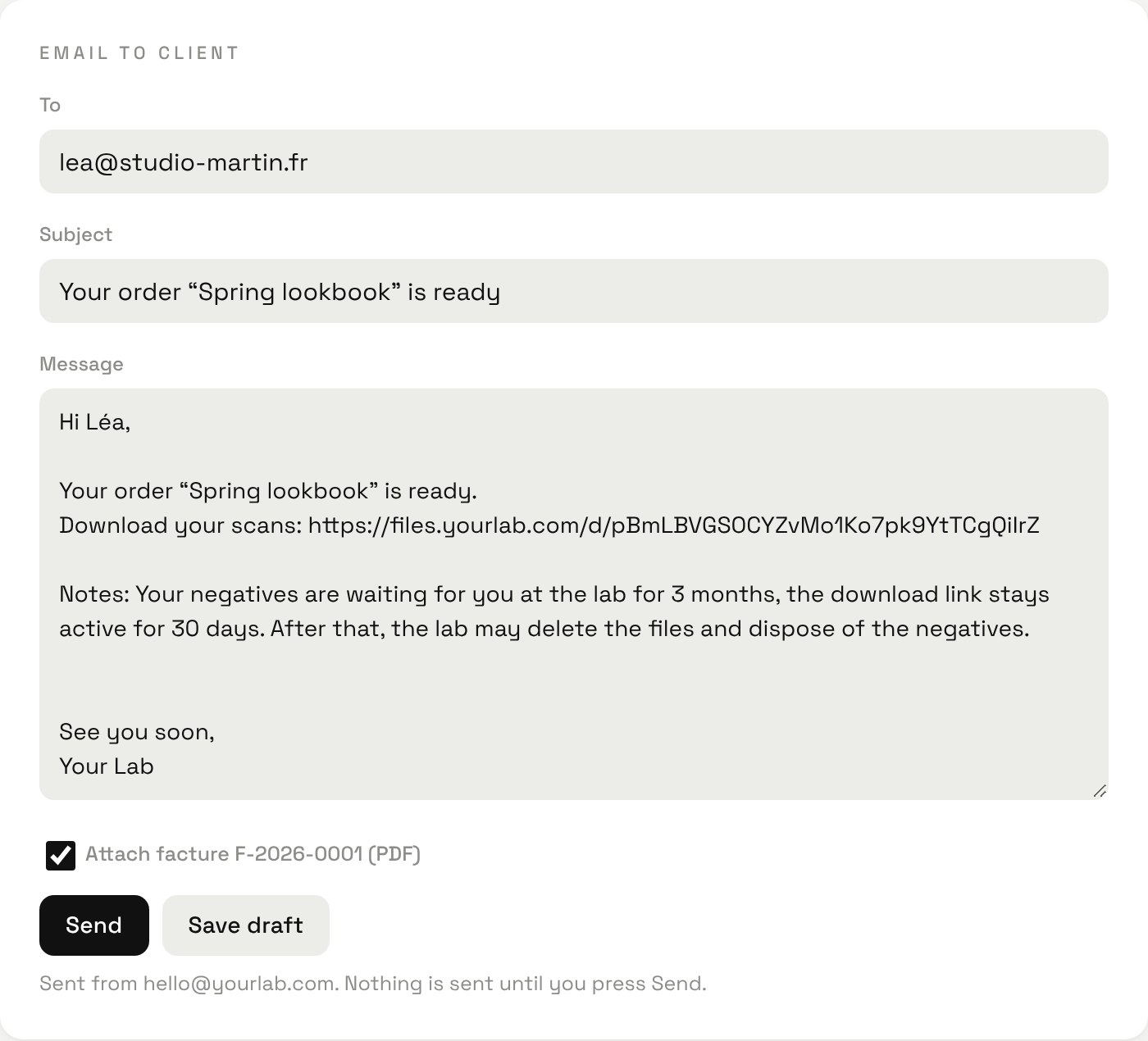
Spectrum publishes a ready project on your own download page, marks the order Ready and drafts the email. You read it and press Send.
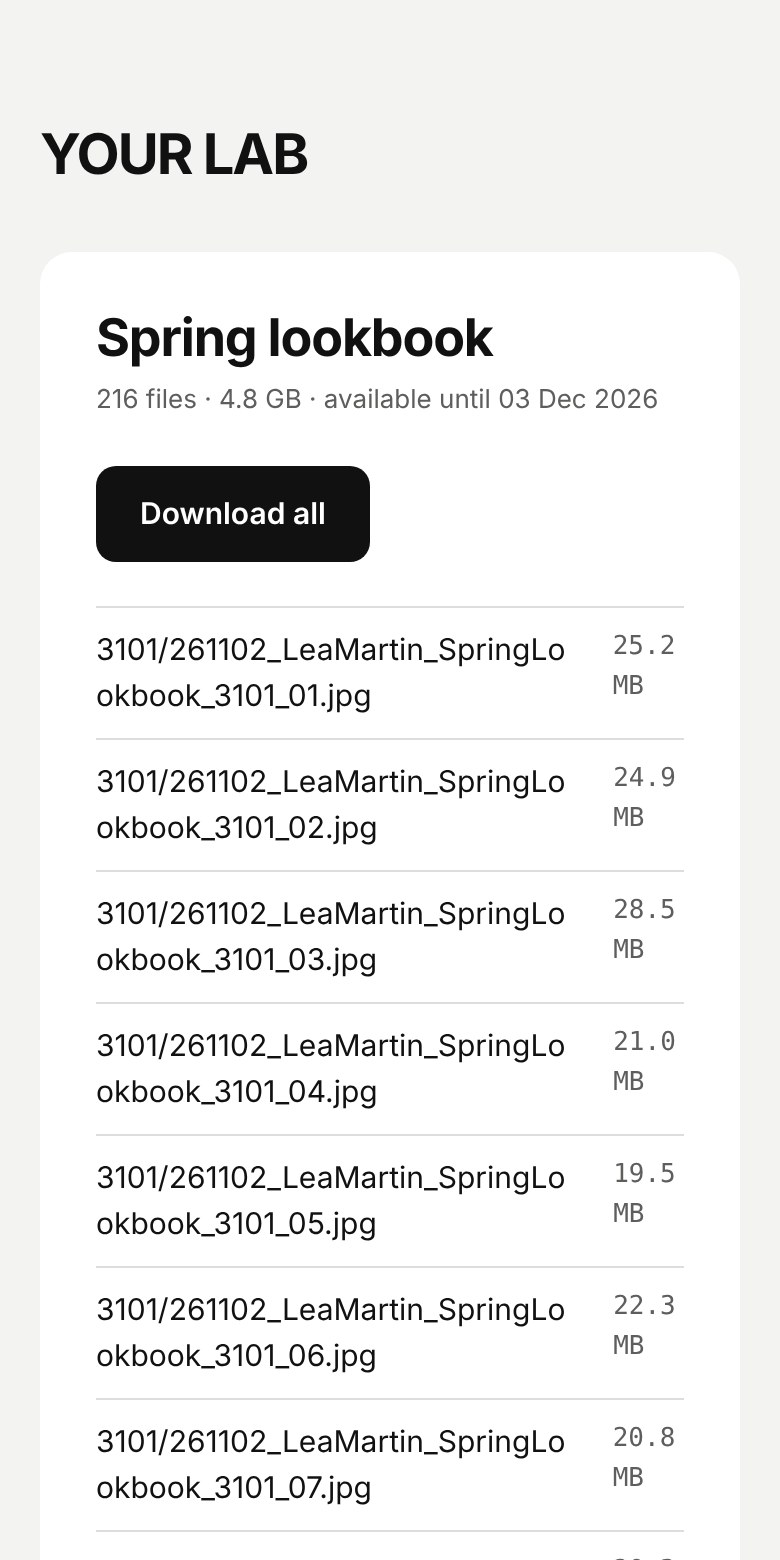
Your own download page
Under your lab's name, no third-party transfer service. Links close after 30 days, an optional password, and you see when the client downloaded.
Card payments from the order
Charge on your terminal straight from the order. The payment is recorded by itself, with no retyping.
Invoices without paperwork
A numbered invoice is issued when the order is paid in full, as a print-ready PDF in your lab's details.
Revenue you can trust
Money received by month and by method, and a cash book export for your accountant.
Your data
Your clients stay in your lab.
Spectrum runs on your own Mac. Only the download page faces the internet, and it holds nothing but copies of finished files.
Runs in your lab
Clients, orders, prices and payments live on your own computer, not in someone else's cloud.
One small door to the outside
Clients reach only a separate delivery area holding copies of their files. Nothing else in Spectrum can be reached from the internet.
Keys kept local
Card terminal keys and the mail password are stored only on your computer.
AI that stays home
The model that turns frames runs on your Mac. Your clients' images are never sent away to be analysed.
An example of the time it gives back
If renaming, turning, uploading and writing to the client take 15 minutes per order, a lab that finishes 25 orders gets back about 6 hours. Put in your own numbers.
Early access
We are inviting a small group of labs to start with Spectrum.
- Full support with installation and syncing across your lab
- Customisation with your lab's own branding and logo
- A direct line to the developers